Preset: TV Screens
TV screen replacement for real estate photos
A powered-off TV is a big black rectangle that pulls the eye and often reflects the photographer, the windows or the flash. A TV that's on can be worse — a sports score or a paused movie dates the photo and distracts from the room. The TV Screens preset replaces whatever is on the screen with a calm, neutral image.
 BeforeAfter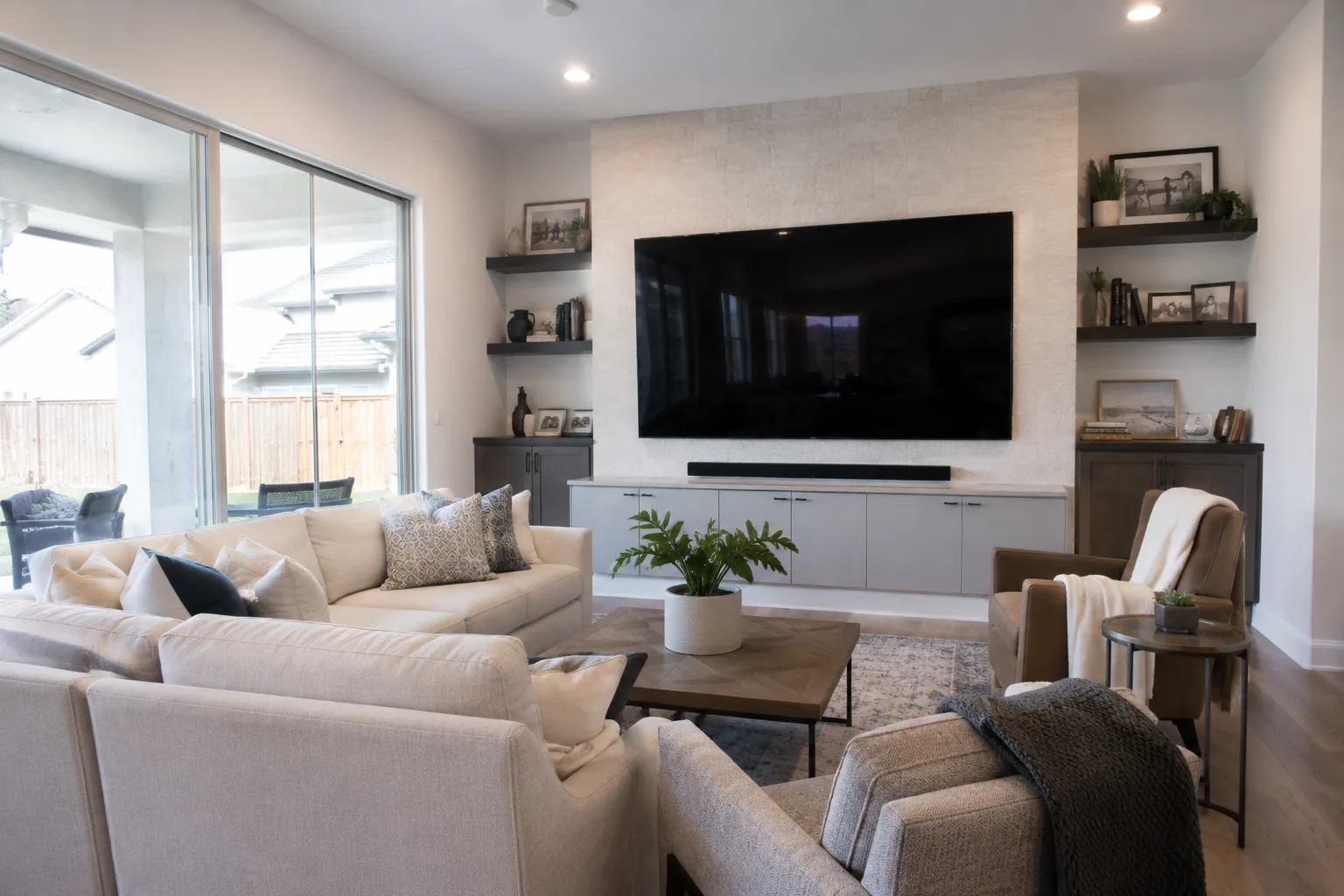
What the edit does
TV Screens, in the Replace & Swap group, replaces visible TV screen content with a tasteful, soft-focus nature scene — a mountain landscape or a calm forest. The new image is matched to the screen's perspective so it sits correctly on an angled wall-mounted set, and glare and strong reflections are avoided. The bezel, stand, cables, surrounding furniture and wall are preserved exactly.
When to use it
Living rooms, media rooms, bedrooms and kitchens with a mounted TV — basically any room where the screen is visible. It's particularly helpful when the black screen is reflecting a bright window or the photographer, which is hard to avoid on glossy panels. Applying it across every room with a TV gives a listing a consistent, finished look.
Prefer the TV gone entirely?
If the TV belongs to the sellers and won't convey with the home, you may prefer to remove it rather than replace the screen. Use the studio's object removal tools: paint over the TV or click to select it, and the area is filled to match the wall behind it. Removing a TV that is staying is fine too, but replacing the screen is usually the more honest choice.
Tips
Shoot the screen as square-on as the composition allows; extreme angles leave less screen area to work with. Hide visible cords before the shoot, or follow up with a removal pass for the cables. Run HDR before replacing the screen so the room's exposure is final. Avoid turning the TV on for the shoot — it's easier to replace a uniform black screen than busy content.
Turnaround and pricing
A screen replacement takes about 30 seconds and counts as one edit. The free plan includes 10 edits a month; paid plans are billed per photo — see pricing for current rates. View pricing →
Frequently asked questions
- Can I choose what appears on the screen?
- The preset uses a soft-focus nature scene. If you want something specific, describe it with a custom prompt — for example, a calm beach at dusk.
- Does it work on angled or wall-mounted TVs?
- Yes. The replacement is matched to the screen's perspective.
- Can I remove the TV instead?
- Yes. Use object removal in the studio to paint over or select the TV, and the wall behind it is filled in.
- What about reflections on the screen?
- The edit replaces the screen content and avoids glare and strong reflections, which also removes reflections of windows or the photographer.