Preset: Grass Greening
Grass greening for real estate photos
Late summer, a dry spell, or a winter-dormant lawn can make a yard look neglected in photos even when the property is well kept. Grass Greening makes visible lawn and landscaping lush and healthy while leaving everything else in the frame untouched.
 BeforeAfter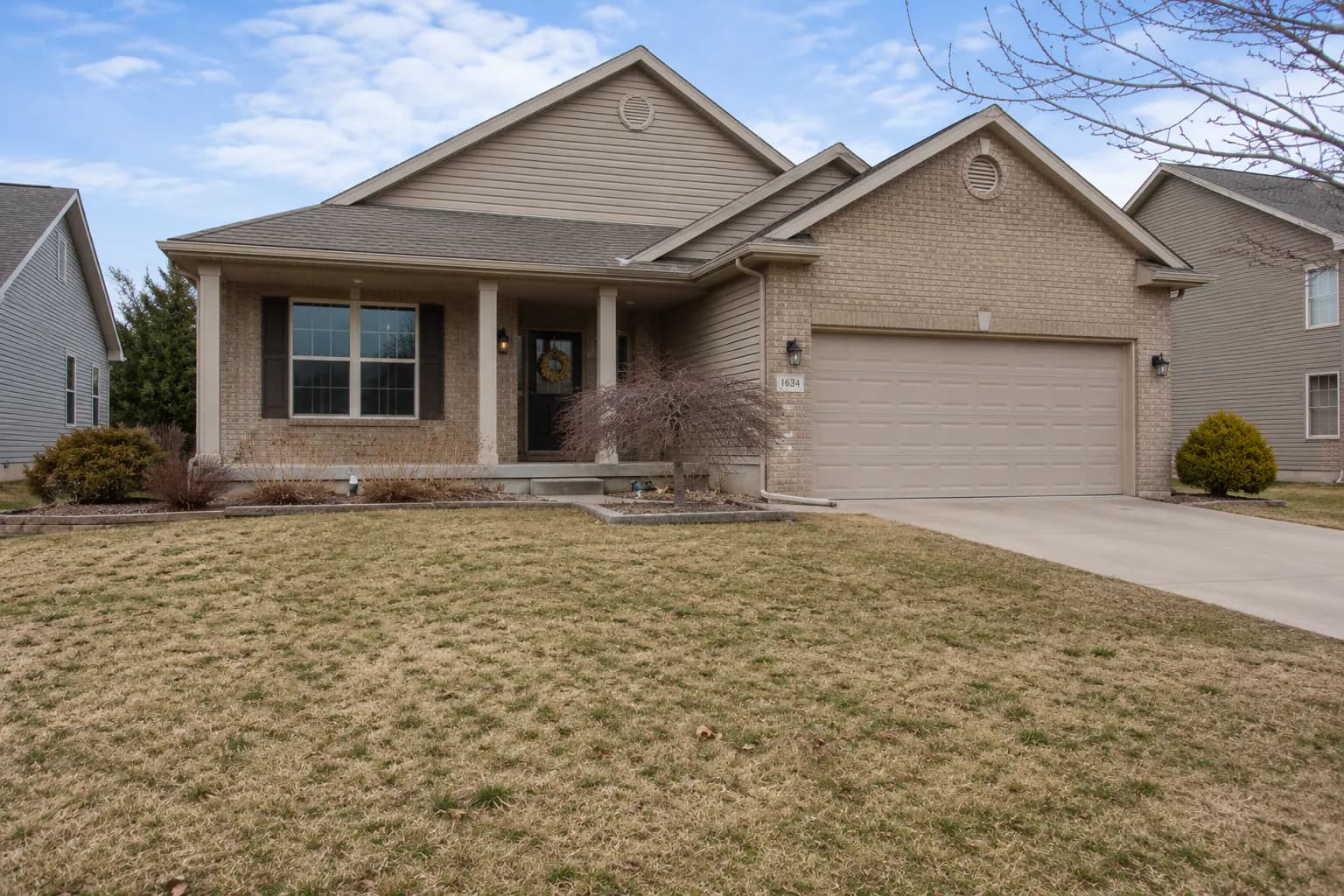
What the edit changes
Grass Greening targets lawn, grass and landscaping vegetation: it brings them to a vibrant, healthy green and fills in brown patches, bare spots and dead areas. The lawn's shape, garden bed edges, walkways, driveways, fences and the house itself are preserved exactly, so the yard keeps its real layout — it just looks cared for.
When to use it
Use it for exteriors shot in a dry season, lawns recovering from a move-in or construction, and seasonal listings where the photos will be live into spring. It pairs naturally with Sky Replacement for overcast exteriors. If the photo was taken with snow on the ground, use the Snow Removal preset instead, which swaps the whole winter scene for late spring.
Tips for natural-looking lawns
Mow and edge before the shoot if you can — the edit improves color and fills patches, but a tidy lawn always looks better. Shoot with even light to avoid deep shadows across the grass. After editing, look at the boundaries between lawn and beds or paths; they should stay crisp. Aim for healthy rather than artificial: a lawn that looks plausibly well-watered is more convincing than neon green.
Keep expectations realistic
Greening is a presentation edit for seasonal conditions. If the yard has a structural problem — large areas of dirt, drainage issues, missing sod — be careful that the photo doesn't set an expectation the buyer won't find in person. Many agents note seasonal enhancements in the listing caption.
Turnaround and pricing
Each greening edit takes about 30 seconds and counts as one edit. Batch a whole exterior set and they process in parallel. The free plan includes 10 edits a month; see pricing for paid per-photo rates. View pricing →
Frequently asked questions
- Will it change my garden beds or driveway?
- No. Only lawn and vegetation are enhanced. Beds, walkways, hardscaping and the house are preserved exactly.
- Does it work on aerial and drone photos?
- Yes. Any photo with visible lawn or landscaping works, including drone shots of the lot.
- What about snow-covered yards?
- Use the Snow Removal preset — it removes snow, frost and ice and replaces them with a spring or early-summer scene.
- Can I combine it with sky replacement?
- Yes. Each edit creates a new version, so you can run Grass Greening and then Sky Replacement on the result.