Preset: HDR Editing (Natural)
HDR photo editing for real estate interiors and exteriors
Interiors are the hardest thing to photograph well: the windows are many times brighter than the far corner of the room, and no single exposure captures both. JRAHDR gives you two ways to fix that — an HDR enhancement that works on one photo, and a true bracket merge for photographers who shoot multiple exposures.
 BeforeAfter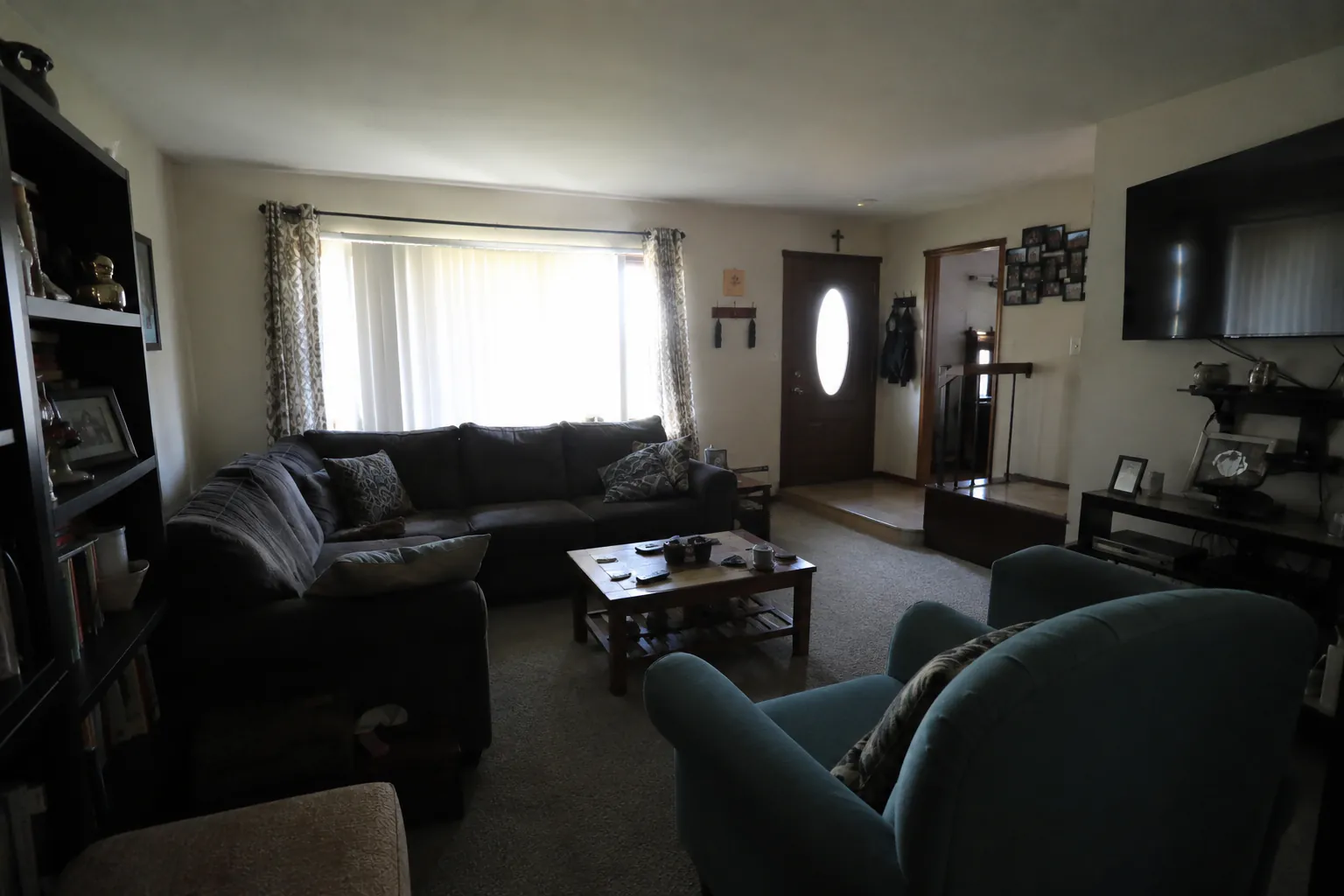
Single-frame HDR: Natural and Intense
If you shot one exposure — on a phone, or a camera without bracketing — the HDR presets rebalance it for you. HDR Editing (Natural) recovers shadows and highlights, corrects white balance and keeps colors true to life; it is the right default for most listings. HDR Editing (Intense) pushes further, with more vivid color, stronger local contrast and a bright, clean look that some markets and luxury listings prefer. Both keep room geometry, furniture and architectural details exactly as photographed.
Real HDR: merging bracketed exposures
Photographers who bracket can upload the full set instead. The HDR merge accepts 2 to 9 exposures of the same scene, blends them into a single balanced frame, and keeps the original orientation, so a portrait shot stays portrait. The merged result counts as one edit, regardless of how many brackets went in. For the cleanest merge, shoot on a tripod, keep the aperture fixed and vary only shutter speed, and include at least one exposure dark enough to hold detail in the windows.
When to use which
Use a bracket merge when you control the shoot and want the most dynamic range — high-contrast rooms with big windows, or bright exteriors with deep shade. Use single-frame HDR for agent phone shots, quick refreshes of old listing photos, or any time you only have one image. If a window is still blown out after HDR, follow it with the Window Pull preset to bring back the view outside.
Tips for HDR listing photos
Turn on every interior light and match color temperatures where you can — mixed warm and cool bulbs are the most common cause of muddy color. Keep the camera level so verticals stay straight. Avoid people or pets moving between brackets, since anything that moves can ghost in a merge. And resist over-processing: buyers respond to rooms that look bright and inviting, not rooms that look painted.
Turnaround and pricing
A single-frame HDR edit takes about 30 seconds; a bracket merge takes a little longer because several images are processed together. Both count as one edit. The free plan includes 10 edits a month, and paid plans are billed per photo — see pricing for current rates. View pricing →
Frequently asked questions
- Do I need bracketed exposures to use HDR?
- No. The Natural and Intense HDR presets work on a single photo. Bracket merging is there for photographers who already shoot multiple exposures.
- How many brackets can I merge?
- Between 2 and 9 exposures of the same scene. The merge produces one image and counts as a single edit.
- What's the difference between Natural and Intense?
- Natural aims for accurate, true-to-life color and balanced exposure. Intense applies a stronger HDR look with more saturation and contrast. Try both on one photo and keep the version that suits the listing.
- My windows are still bright after HDR — what now?
- Run the Window Pull preset on the HDR result. It recovers a natural exterior view through overexposed windows while keeping frames, blinds and curtains intact.
Related features
Real Estate Photo Editing
The full toolkit for listing photos — HDR, skies, twilights, removals and staging.
Sky Replacement
Overcast or blown-out skies become clean blue, with lighting matched.
Virtual Twilight
Daytime exteriors converted to golden-hour dusk with warm window glow.
Pricing
10 free edits a month, then per-photo plans.