Preset: Fire in Fireplace
Add a fire to the fireplace in listing photos
An empty, dark firebox is a black hole in the middle of a living room photo. A fire makes the same room feel warm and lived-in — but lighting one on shoot day is often impractical, unsafe in a vacant home, or simply not possible with a decorative fireplace. The Fire in Fireplace preset adds one in post.
 BeforeAfter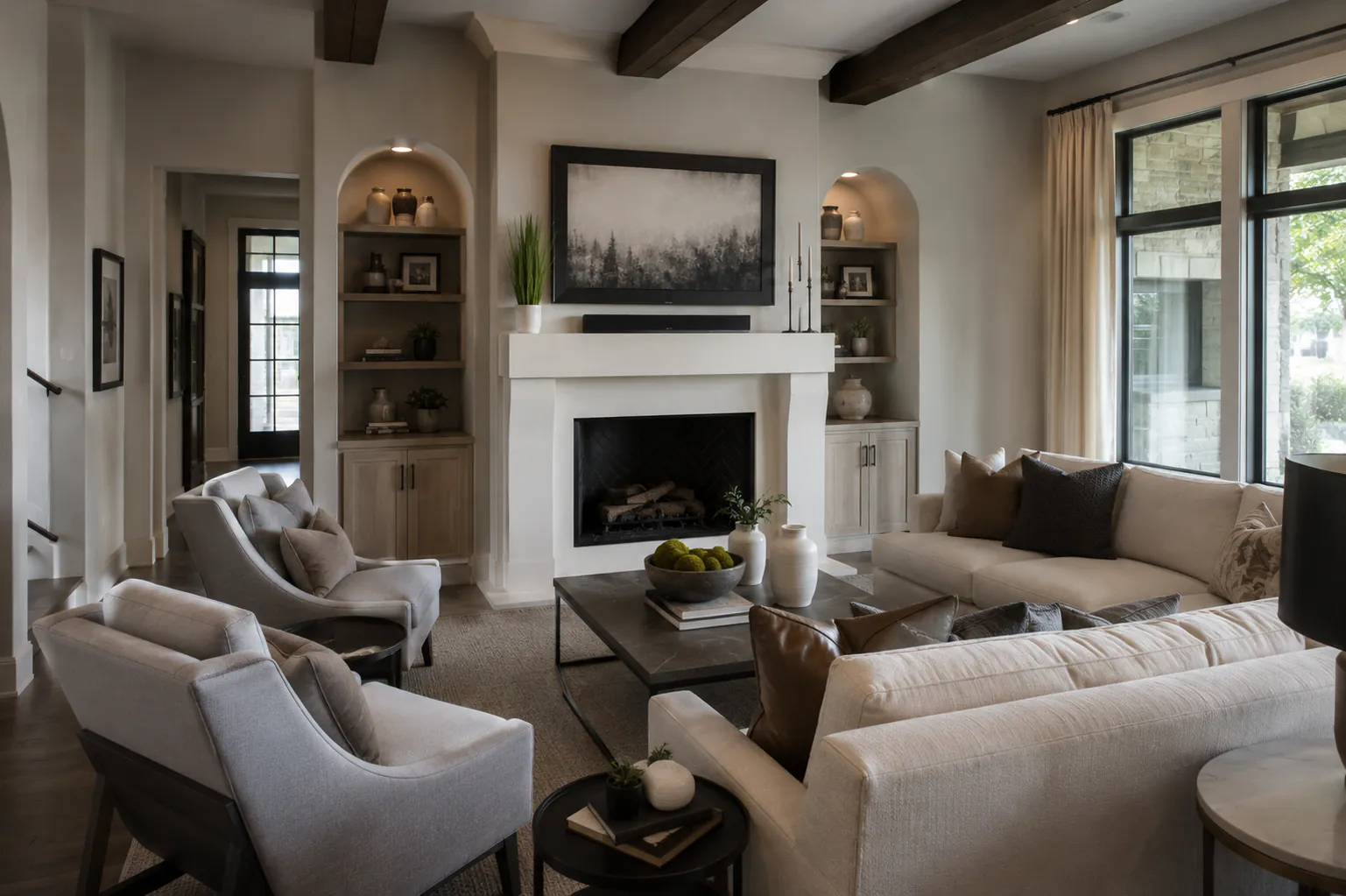
How it works
Choose Fire in Fireplace from the Add Atmosphere group. The edit places a fire with glowing embers and natural orange-yellow flames in any visible fireplace — indoor or outdoor — and adds a subtle warm glow on the surrounding hearth and mantle so the light looks like it comes from the fire. The fireplace structure, mantle, hearth and the rest of the room stay exactly as photographed.
When to use it
It's most effective when the fireplace is a focal point of the room: living rooms, primary suites, family rooms and outdoor fire pits or patio fireplaces. It is especially useful for listings that go live in autumn and winter, and for twilight exterior sets where an outdoor fireplace can be the centrepiece. Skip it on photos where the fireplace is a small detail in the corner — it won't add much.
Tips for convincing results
Clean the firebox and hearth before the shoot; ash and debris still show around a virtual fire. Frame the fireplace straight on or at a gentle angle so the opening is clearly visible. Run HDR first so the room is properly exposed, then add the fire — the warm glow reads better against a balanced room. If the fireplace is gas or electric, the result should still look like a real, working fire.
A note on accuracy
A virtual fire presents a working fireplace at its best. If the fireplace is decorative only or not currently functional, say so in the listing — the photo should not imply something the home doesn't offer.
Turnaround and pricing
Adding a fire takes about 30 seconds and counts as one edit. Start with 10 free edits a month; paid plans are billed per photo — see pricing for current rates. View pricing →
Frequently asked questions
- Does it work on outdoor fireplaces and fire pits?
- Yes. The edit works on any visible fireplace, indoor or outdoor.
- Will it change the mantle or surround?
- No. The fireplace structure, mantle and hearth are preserved; only the fire and a subtle warm glow are added.
- Can I combine it with other edits?
- Yes. Each edit is a new version, so you can run HDR, then add the fire, then replace a blank TV screen above the mantle.
- What if there are two fireplaces in the photo?
- The preset adds fire to any visible fireplace in the frame.
Related features
Virtual Staging
Furnish empty rooms with tasteful furniture — one click or by style.
TV Screen Replacement
Black or distracting screens replaced with a calm nature scene.
Virtual Twilight
Daytime exteriors converted to golden-hour dusk with warm window glow.
Pricing
10 free edits a month, then per-photo plans.