Preset: Sky Replacement
Sky replacement for real estate photos
You can schedule a shoot, but you can't schedule the weather. A flat white or grey sky makes even a great exterior look dull in the listing thumbnail. Sky replacement swaps it for a clean blue sky with light, scattered clouds — and adjusts the lighting on the building and ground so the result looks like it was shot on a good day.
 BeforeAfter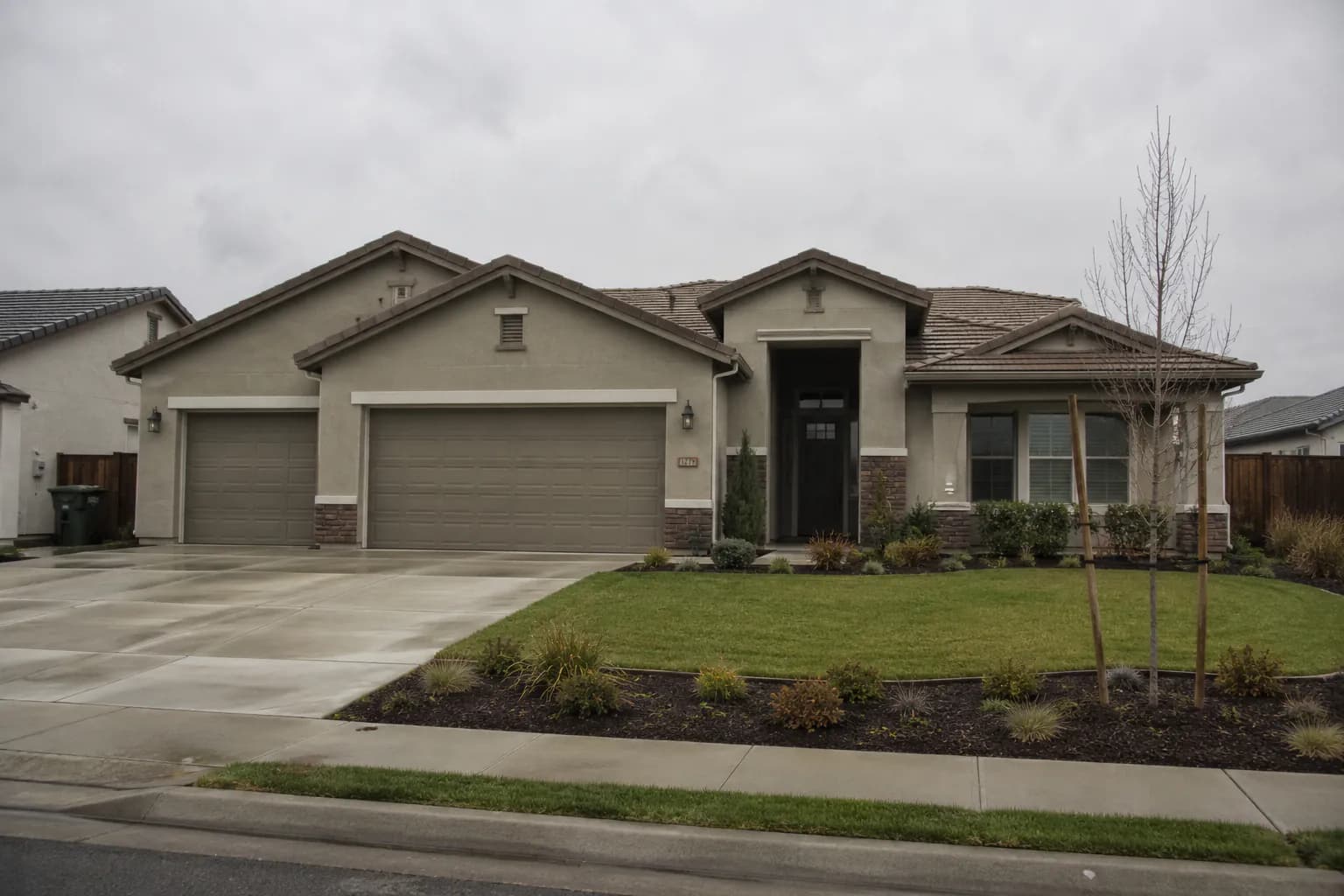
How sky replacement works
Upload an exterior and choose Sky Replacement in the Replace & Swap group. The edit identifies the sky, replaces it with a natural blue sky containing light cumulus clouds, and then matches the light on the façade, roof and landscaping to be consistent with it. Everything that isn't sky — rooflines, trees, windows, the driveway — is preserved exactly. That relighting step is what separates a believable result from the cut-and-paste look of a sky simply dropped in behind the house.
When to use it
Sky replacement is the right call for overcast days, hazy skies, and skies that blew out to pure white because you exposed for the house. It also helps with consistency: if a front exterior was shot on a clear morning and the backyard after clouds rolled in, replacing the sky on the second set makes the gallery feel like one shoot. It works on drone and aerial photos too, as long as some sky is visible.
Tips for better results
Expose for the house, not the sky — a bright sky is easy to replace, but a dark, underexposed house is harder to recover. Shoot with the sun behind you or to the side when you can. Fine detail like bare tree branches against the sky is the hardest area for any sky replacement, so check those edges when you review the result. If the lawn also looks tired, follow up with Grass Greening; if the listing is high-end, consider a virtual twilight for the hero shot instead.
Keep it honest
Replacing a grey sky is a widely accepted presentation edit, but don't use it to hide something permanent about the property or its view. If the home backs onto a structure or a busy road, buyers will see it when they visit — your photos should set expectations they'll recognise in person.
Turnaround and pricing
Each sky replacement takes about 30 seconds and counts as one edit. Run a whole exterior set as a batch and the photos process in parallel. Start with 10 free edits a month, or see the pricing page for per-photo rates on paid plans. View pricing →
Frequently asked questions
- Does the lighting on the house change too?
- Yes, subtly. The edit matches light on the building and ground to the new sky so the photo looks consistent, while keeping the structure and landscaping exactly as shot.
- Can I choose a dramatic or sunset sky?
- The Sky Replacement preset produces a clean blue sky with light clouds. For a sunset look, use the Real Twilights preset, or describe the sky you want with a custom prompt.
- Does it work on drone photos?
- Yes. Aerial and drone exteriors work as long as part of the sky is visible in the frame.
- Can I undo it?
- Every edit is saved as a new version, so the original and any earlier versions are always available.
Related features
Virtual Twilight
Daytime exteriors converted to golden-hour dusk with warm window glow.
Grass Greening
Brown or patchy lawns made lush and green; hardscaping untouched.
HDR Photo Editing
Recover shadows and highlights from one frame, or merge 2–9 brackets.
Pricing
10 free edits a month, then per-photo plans.